Statement2Tally

Early access · Federal Bank, SBI, Canara Bank, UCO Bank supported

Bank statements into Tally, without uploading them anywhere.

For CA firms and bookkeepers: turn a statement PDF into Tally vouchers, Excel or CSV, converted on your own PC and checked row by row against the bank's running balance.

  • Never uploaded
  • Balance-checked
  • Free in early access

01

0 uploads
Your statement is converted on your computer.

02

~2 s
For a 100-page statement on an office PC. No page limit.

03

Every row
Checked against the bank's running balance.

04

Tally XML
Payment, Receipt and Contra vouchers.

How it works

Three steps. Nothing
leaves your PC.

Most statements go from PDF to a Tally import file in under a minute, including the review.

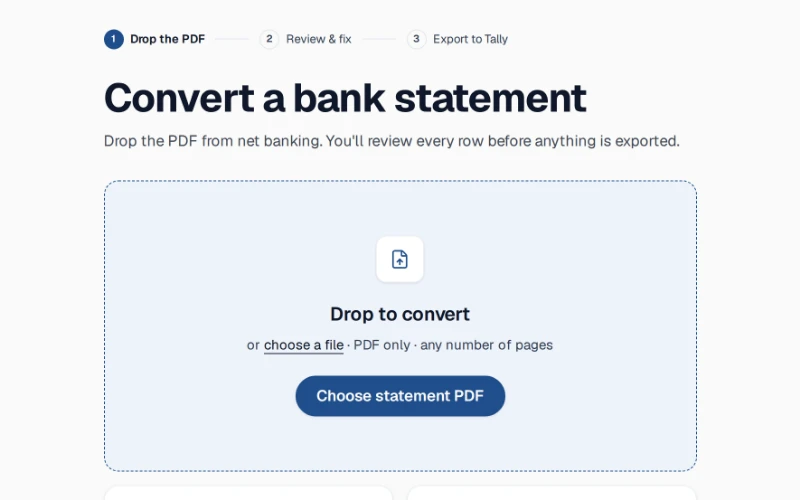
  1. 01Drop the PDF

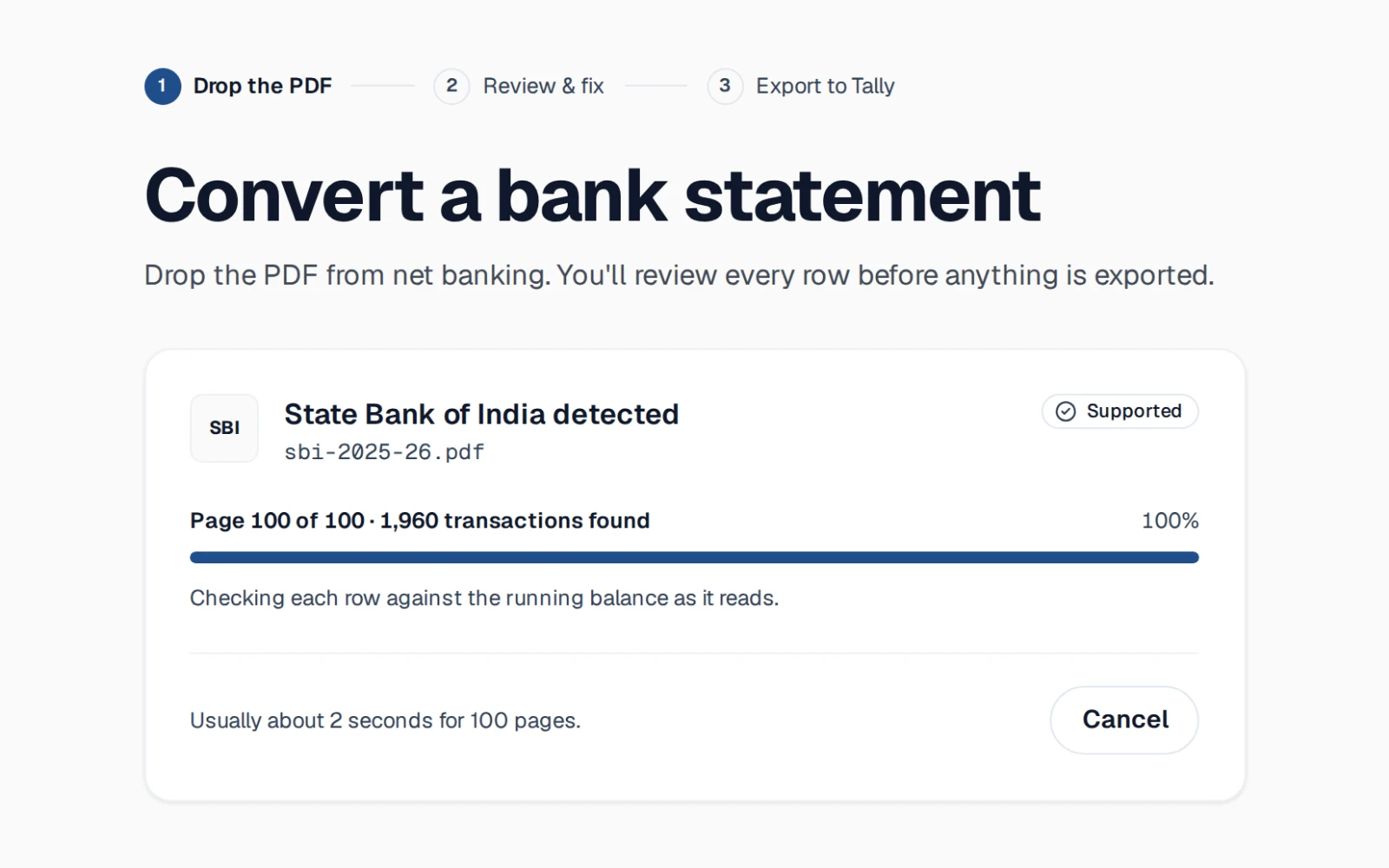
    The statement you downloaded from net banking. Enter its password if it has one.

    Drop zone with an SBI PDF
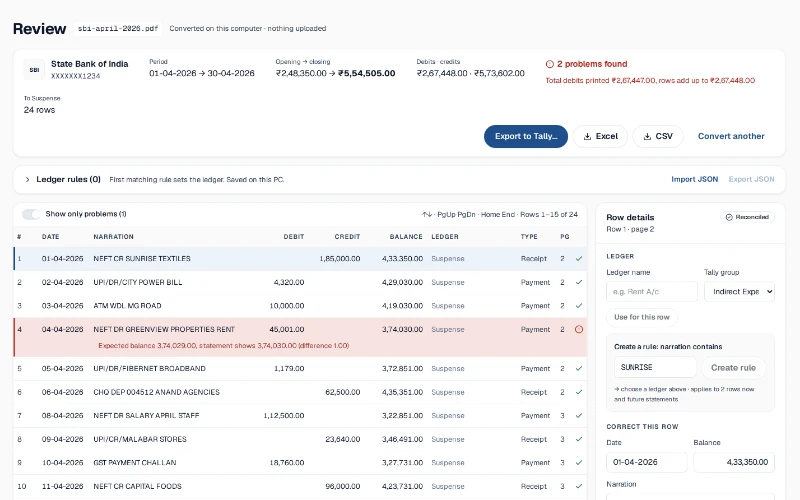
  2. 02Review & fix

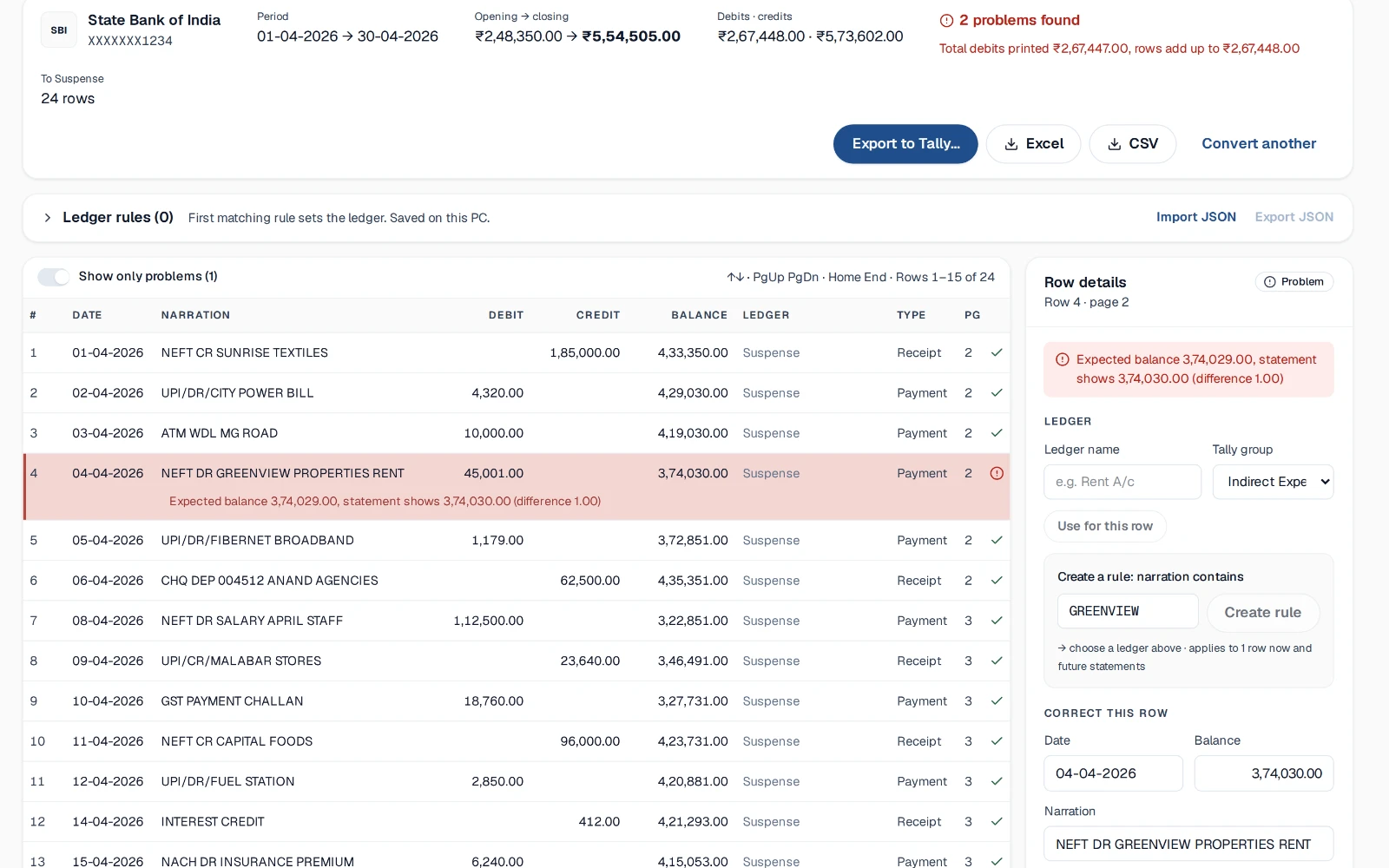
    Rows that don't reconcile are shown in red. Correct them in place; the check re-runs instantly.

    Grid with one red problem row
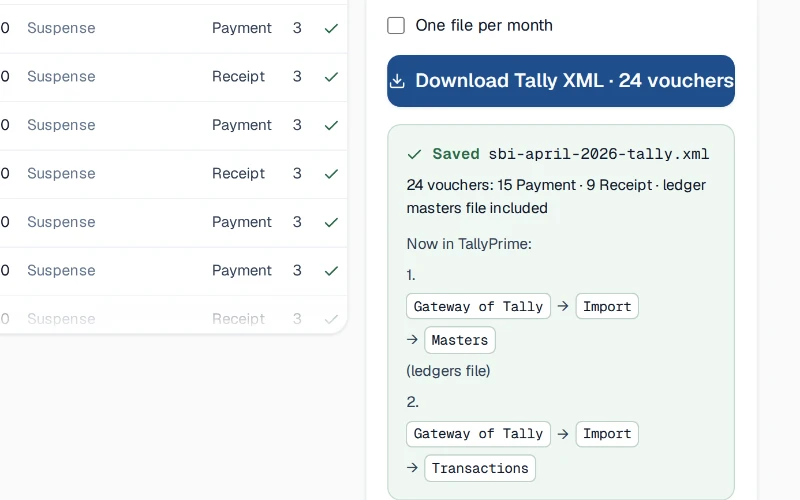
  3. 03Export to Tally

    Download Tally XML, Excel or CSV. Import via Gateway of Tally → Import → Transactions.

    Export to Tally panel, success

What it does

Privacy

Never uploaded.
Works offline.

The PDF is read and converted inside your browser. Nothing is sent to a server. Once the page has loaded, you can pull the network cable and keep working.

  • Your statement is never uploaded. It is converted on your computer.
  • Works offline once the page has loaded.
Browser with network panel showing no uploads

Balance check

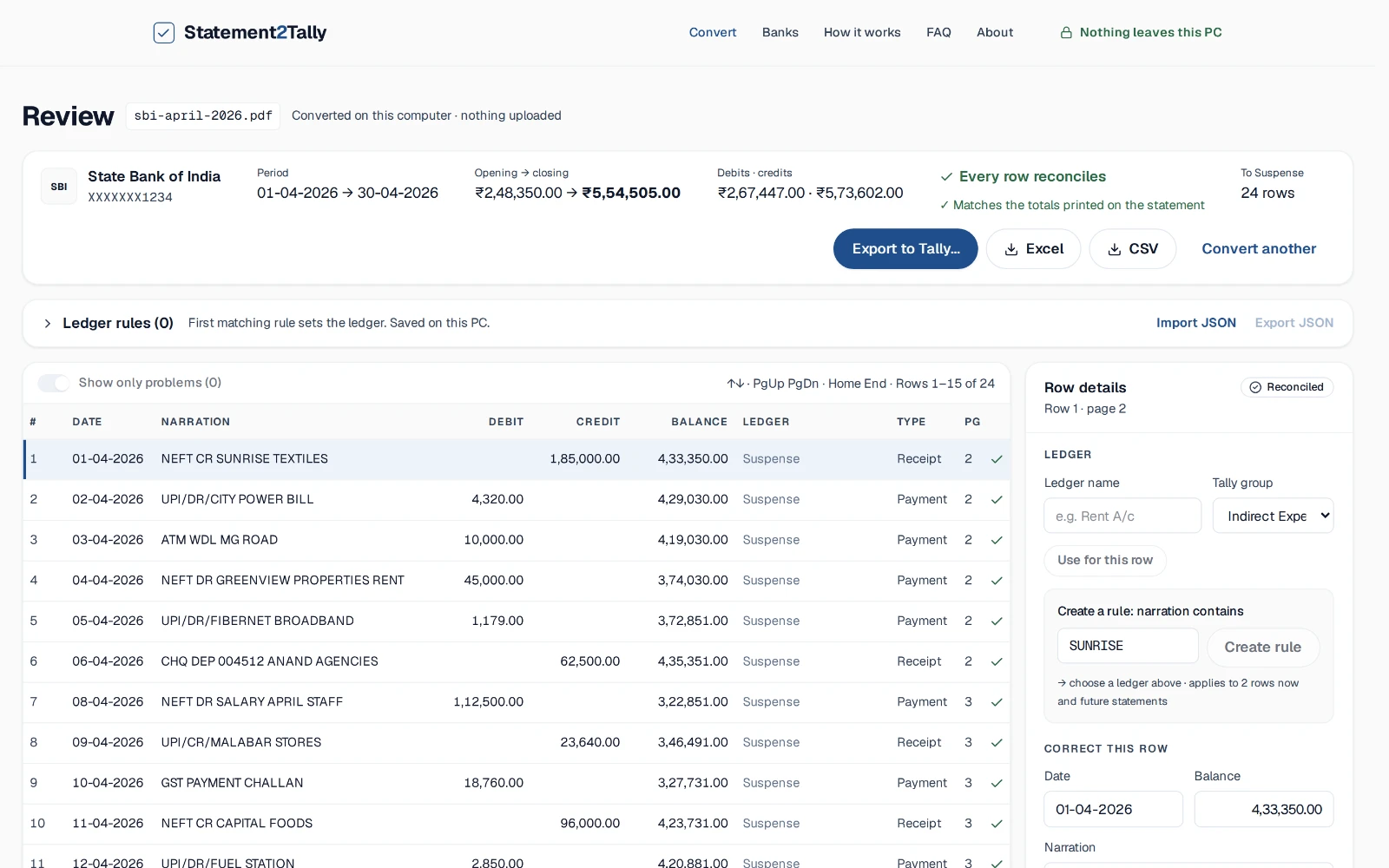
Every row reconciles, or you see why.

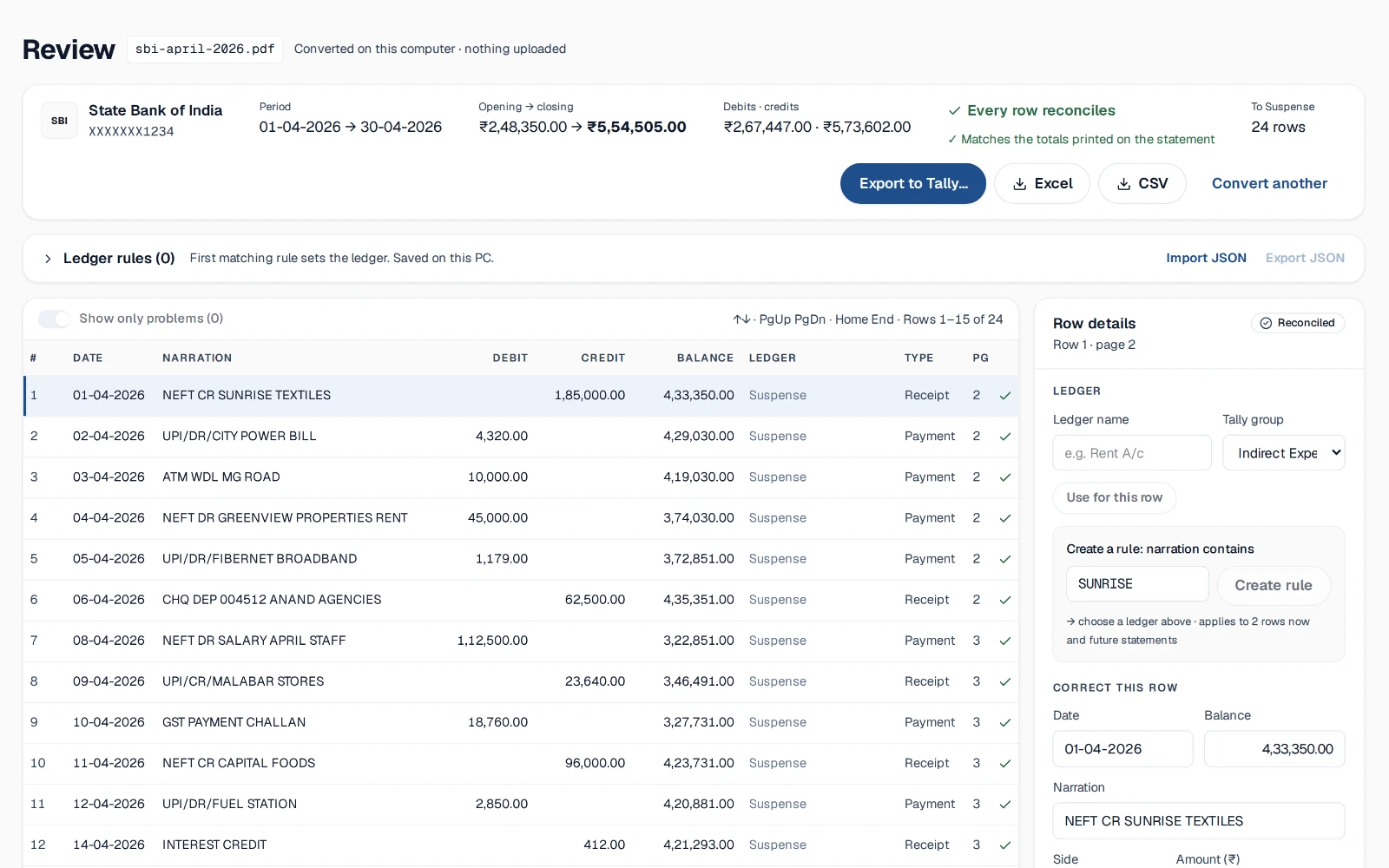
Each transaction is checked against the running balance printed beside it, then the totals against the figures your bank prints on the statement.

  • Every row checked against the bank's running balance.
  • Checked against the totals your bank prints on the statement.
Summary bar with green verdict, opening → closing

Ledger rules

Teach it once. Reuse
every month.

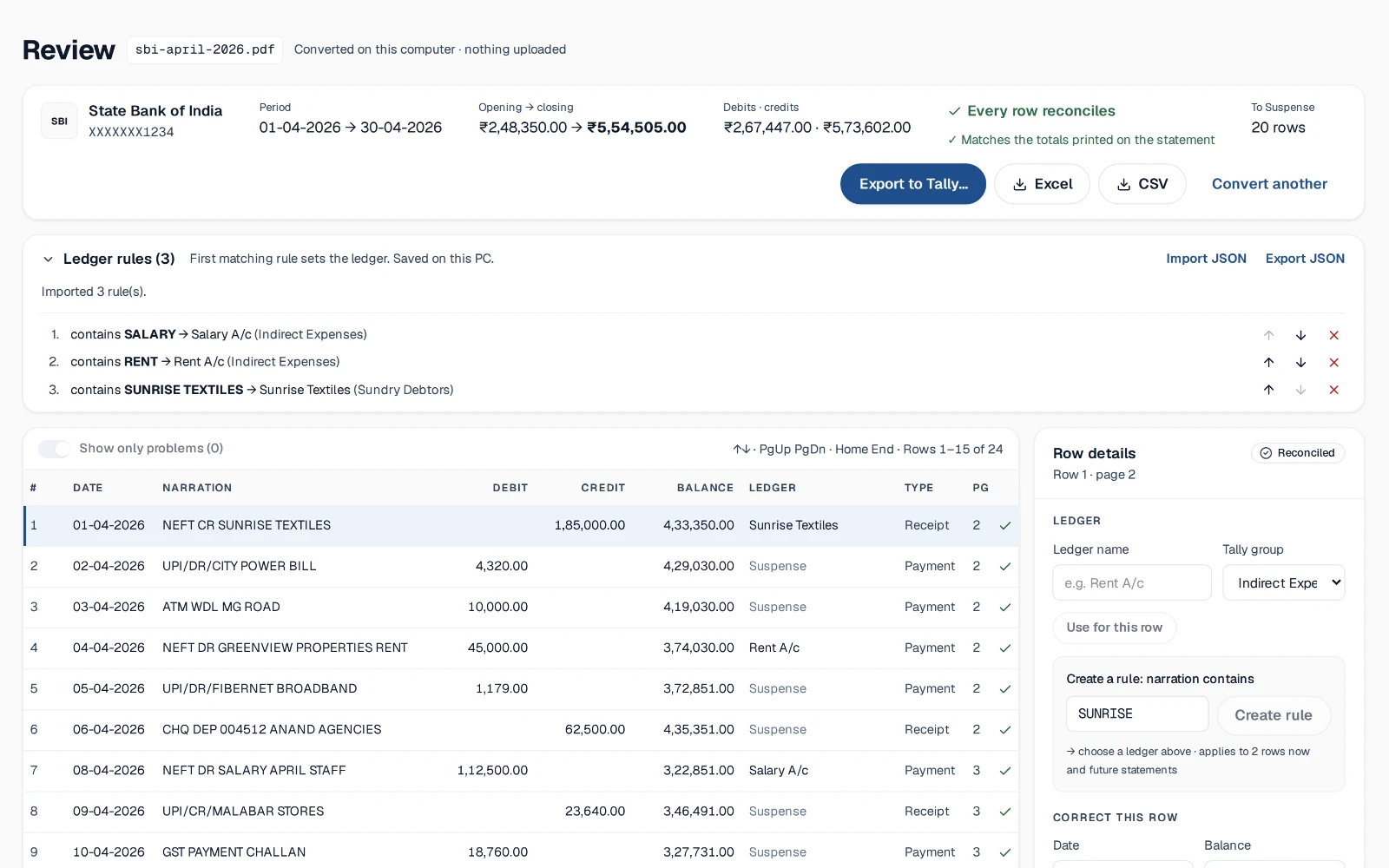
Map narrations to ledgers with plain rules. They are saved on your PC and applied to the next statement automatically.

  • “Narration contains SALARY → Salary A/c”
  • Import and export rules as JSON to share across the firm.
Rules panel with three ordered rules

Fix in place

Correct a misread row in seconds.

Edit the date, amount or narration right in the grid. The balance check re-runs instantly, and every change is marked so a reviewer can see it.

  • Fix misread rows in place; the balance check re-runs instantly.
  • Edited rows are marked. Deleted rows can be restored.
Row details panel with the “Correct this row” form

Tally export

Vouchers TallyPrime
accepts as-is.

Export Payment, Receipt and Contra vouchers with the ledger masters they need, against the bank ledger and company you choose.

  • Exports Tally XML vouchers (Payment, Receipt, Contra), Excel and CSV.
  • Unmatched rows go to a suspense ledger you name.

No page limit

A year of statements, one drop.

There are no page credits to count. Long statements convert as fast as short ones feel.

  • A 100-page statement converts in about 2 seconds on an office PC.
Progress bar “Page 100 of 100”

Compared

Statement2Tally vs upload-based converters

QuestionStatement2TallyUpload-based converter
Is the statement uploaded to a server?No: converted on your computerYes, that is how they work
Needs an internet connection while convertingNo, once the page has loadedYes
Every row checked against the running balanceYes, with the problem shownVaries
Checked against the totals printed on the statementYesVaries
Tally XML vouchersPayment, Receipt, ContraVaries
Page limits or creditsNoneVaries by plan

“Upload-based” means tools that send your statement to their servers. Features vary by tool.

Banks

Banks, done properly.

All banks
  • Federal Bank

    Kerala bank

    SupportedConvert
  • State Bank of India

    National bank

    SupportedConvert
  • Canara Bank

    National bank

    SupportedConvert
  • UCO Bank

    National bank

    SupportedConvert
  • South Indian Bank

    Kerala bank

    Coming soonRequest
  • CSB Bank

    Kerala bank

    Coming soonRequest
  • HDFC Bank

    National bank

    Coming soonRequest
  • ICICI Bank

    National bank

    Coming soonRequest
  • Axis Bank

    National bank

    Coming soonRequest
  • Don't see your bank?

    Tell us which one. A redacted sample statement helps us add it faster.

    Request your bank

From the pilot

Pilot with CA firms. Quotes coming soon.

We'll only publish what real users say, with their permission. Until then, this space stays empty on purpose.

[TESTIMONIAL PLACEHOLDER: real CA quote after pilot]
Name · Firm · City
[TESTIMONIAL PLACEHOLDER: bookkeeper quote after pilot]
Name · Firm · City

Pricing

₹0while in early access

  • No page limit, no sign-up
  • Tally XML, Excel and CSV exports
  • Ledger rules saved on your PC

Page-based plans will come later. We'll announce prices well before anything changes.

Convert a statement

FAQ

Questions accountants ask first

Something else? Write to us.

No. Statement2Tally reads the PDF inside your browser on your own computer. The file, its password and the transactions are never sent to a server. You can even disconnect from the internet after the page loads and it still works.

Your next statement,
reconciled.

Free while in early access. Your statement never leaves your computer.